b123d-print
Vibe CAD for 3D printing. Tell your AI assistant what you need, in plain words, with a photo and a few caliper readings. It designs the part, looks at it from every side, checks it for printing problems and hands you a file for your slicer. No CAD skills needed, and it works with any assistant that supports MCP: Claude, Gemini CLI, Cursor, VS Code Copilot, Codex and more.
What you can make
Ask the way you would ask a friend who owns calipers and a CAD program. These were designed this way, and printed:
- "A box for this IR blaster board: the LED pointing out the top, a screw-on lid, two tabs to mount it on the wall." A two-part case, checked against a stand-in of the board so it fits.
- "An outdoor case for this motion sensor. It should slide off a wall plate and keep the rain out." Dovetail rails, a click-in detent, a drain slot, and a cover that prints without supports.
- "An adapter plate: 2-gang box behind, 1-gang smart switch in front." Counterbored screw holes, and a wall check added after the first print broke through a 0.05 mm skin no render showed.
Or remix a model you downloaded (STL, 3MF or STEP) and change it:
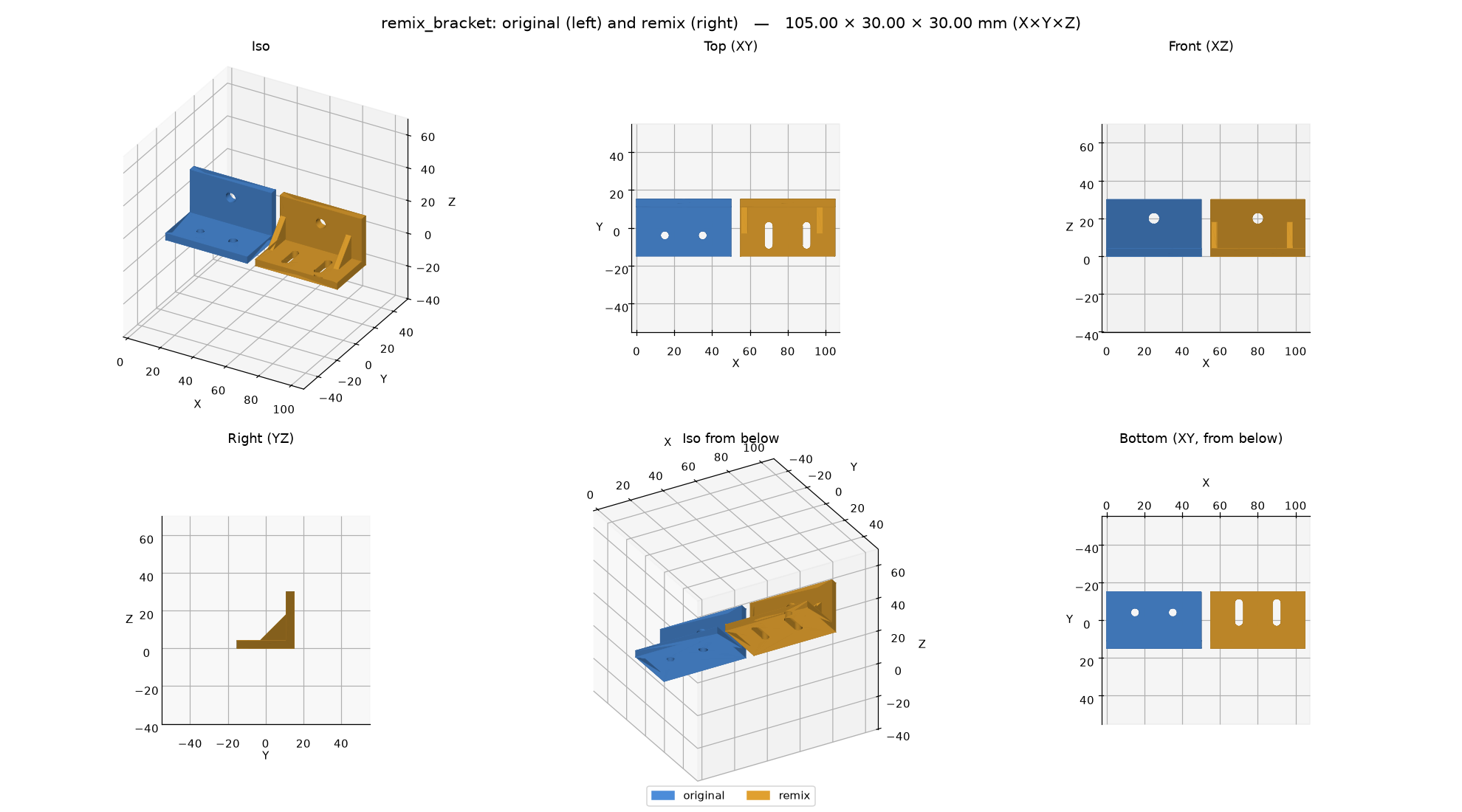
- "Here's an L bracket STL I downloaded: turn its two mounting holes into slots and add gussets." The original is loaded as a solid and changed, the checks tell the original's flaws from new ones, and a before/after view shows exactly what moved. (A demo for the docs, not printed yet.)
Before a long print, test the fit with a fit-test template: a thin, quick print cut from the real part.
- "Make a fit-test template of the mounting face so I can check the hole pattern." The assistant shows you the face in red, asks you to confirm, and gives you a 1.2 mm plate with the part's exact holes: minutes to print instead of hours.
And the everyday things: a spacer, a knob, a bracket, a cable clip, a replacement for a broken part you can measure. Then keep talking to it: "make it 5 mm taller", "add a hole for an M4 screw", "the lid is too tight". Every dimension stays a named number in a short build123d script, so each change is exact, and you get STEP files to keep editing in other CAD if you want.
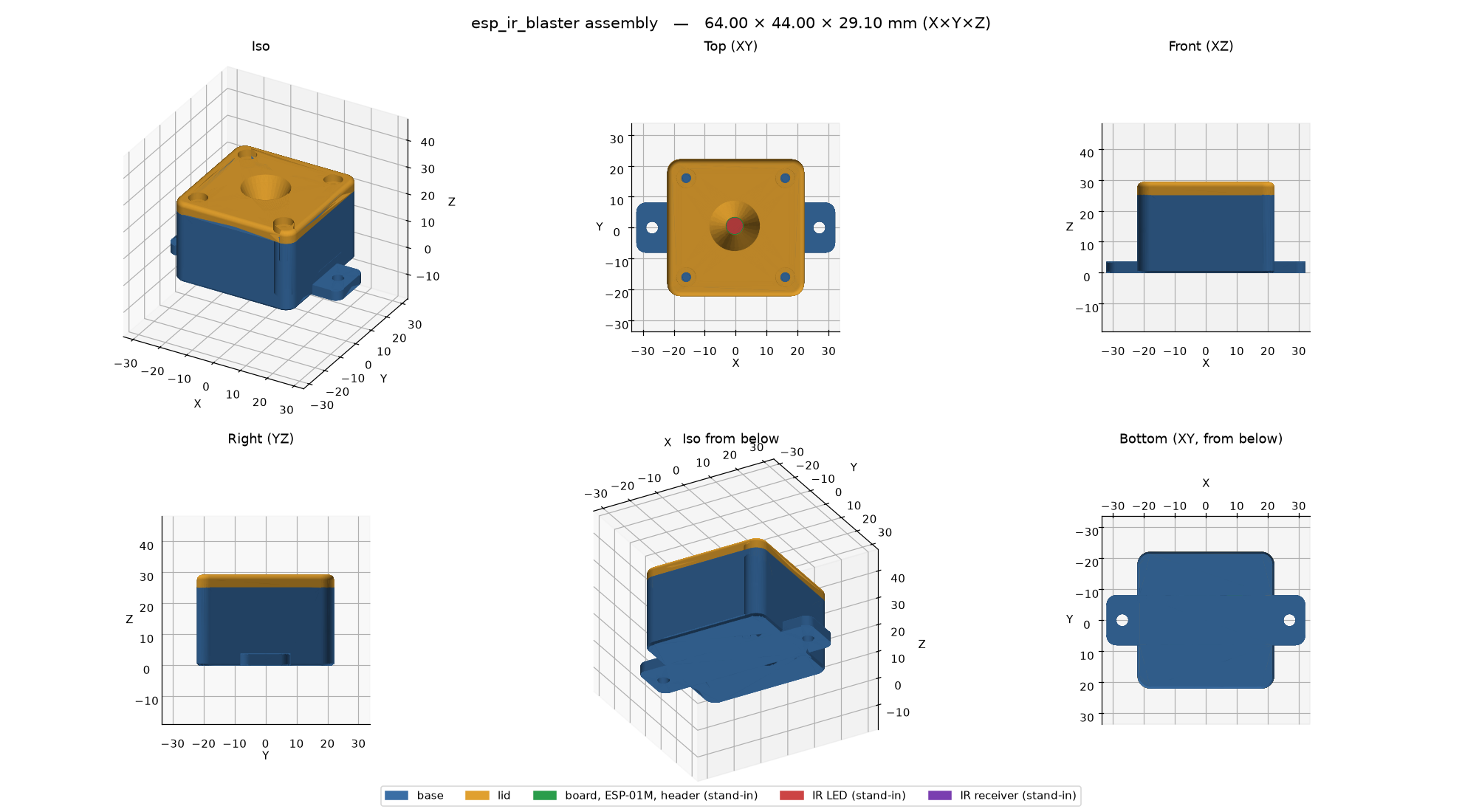 |
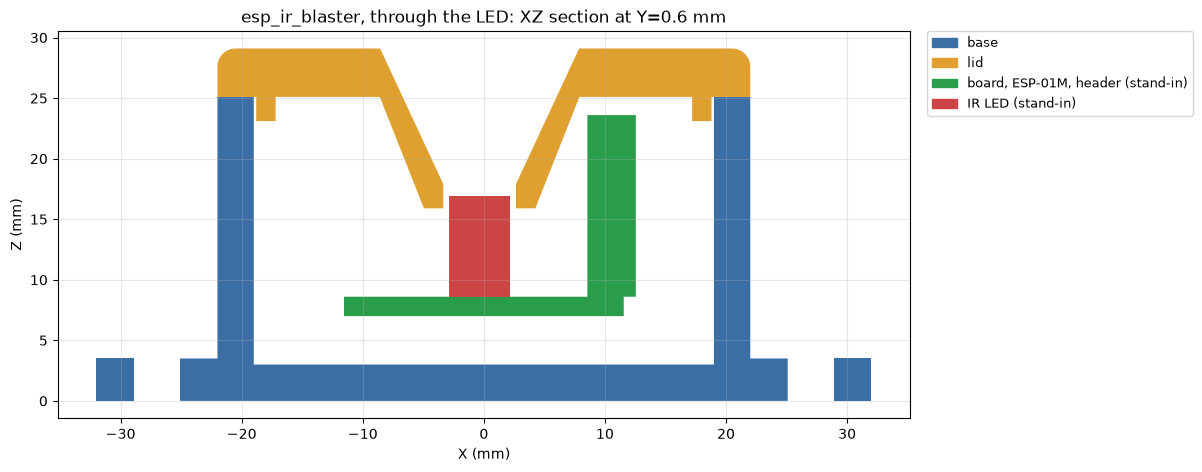 |
| Two-part box for an IR transceiver board, with the board stand-ins | Section through the LED: lid cone, board, clearances |
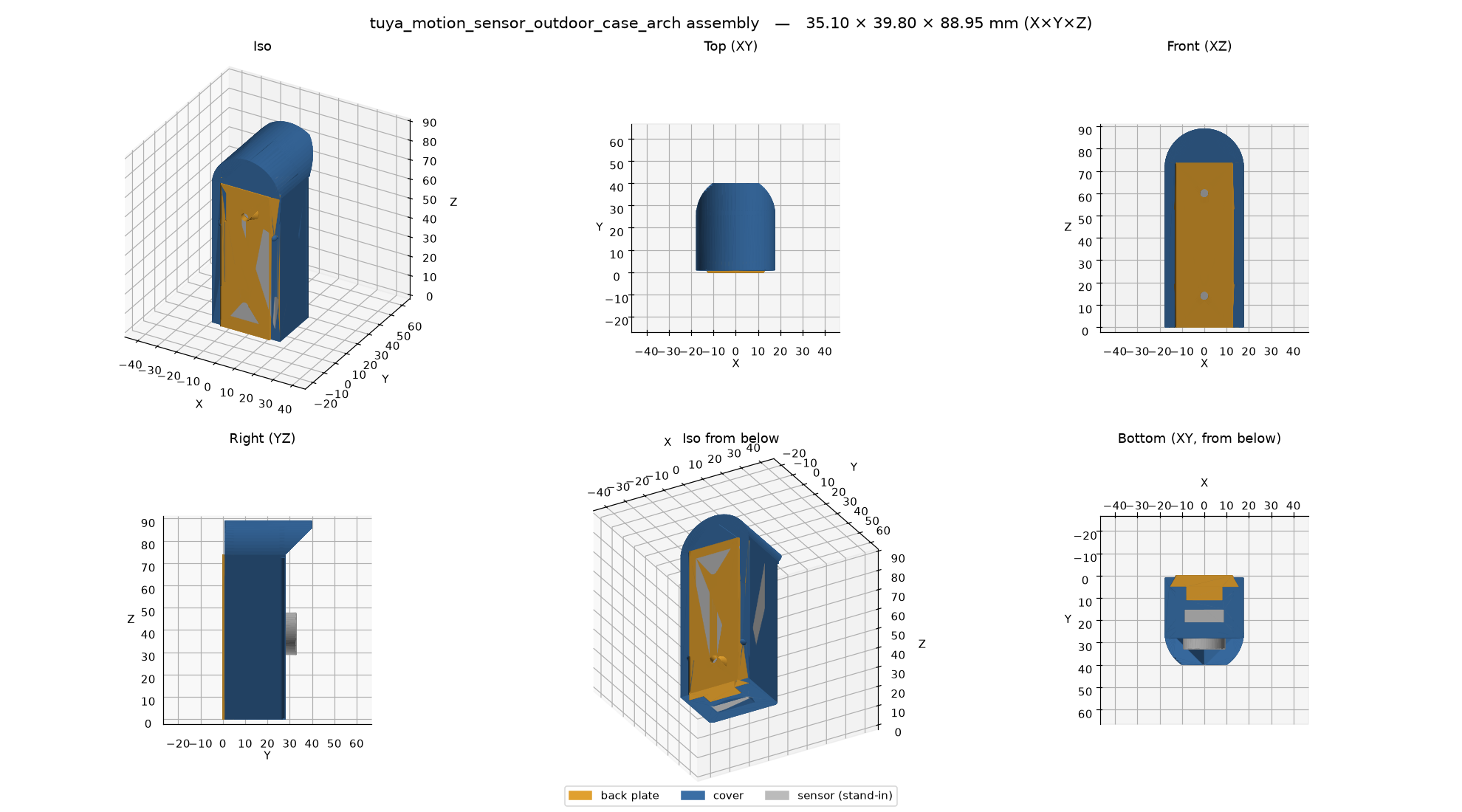 |
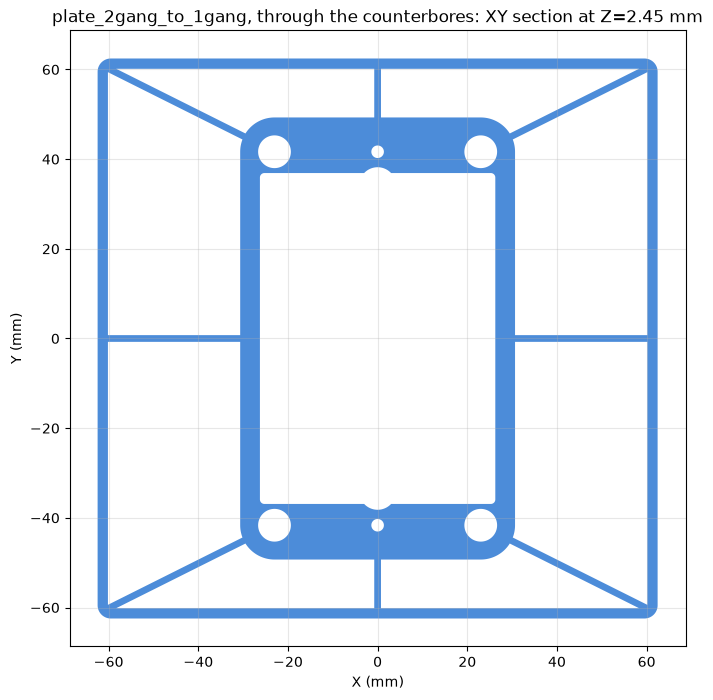 |
| Outdoor sensor case: dovetail back plate + support-free cover | Wall plate: section just past the face, where the wall check looks |
 |
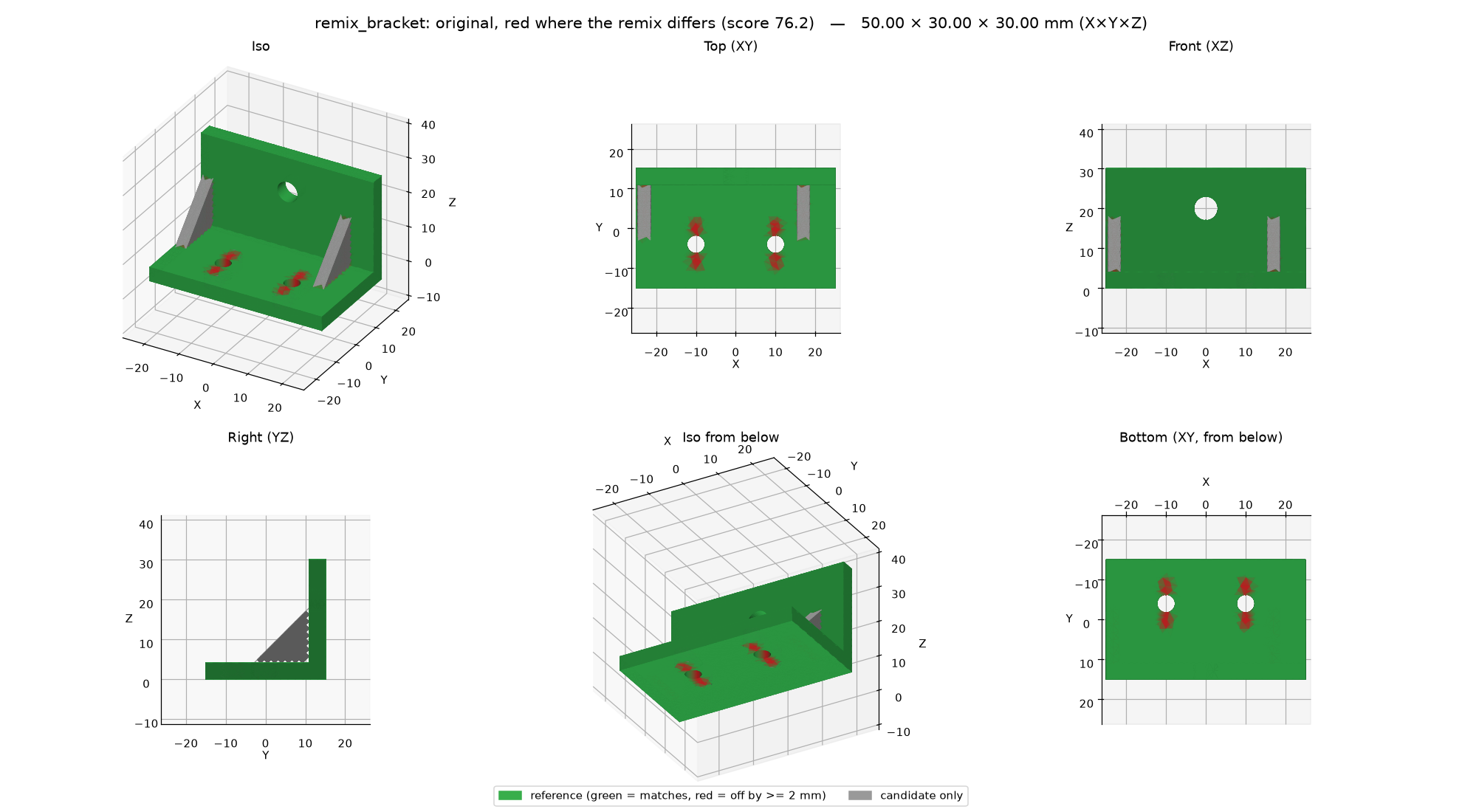 |
| Remix: a downloaded bracket, before and after | Where the remix differs: red cut, grey added |
Get started in 2 minutes
The MCP server is a plug-in that gives your AI assistant CAD tools. It runs on your own computer. The easy way: paste this into your AI assistant (Claude Code, Claude Desktop, Cursor, Gemini CLI, Codex, …):
Install the b123d-print MCP server for me. It runs with
`uvx --from b123d-print b123d-print-mcp --workspace <folder>`
where <folder> is a folder for my parts, such as ~/parts.
Install uv first if it is missing (https://docs.astral.sh/uv/).
Add the server to your MCP settings, tell me when to restart you,
and after the restart check that its tools (list_parts, new_part,
build_part, ...) are available.
It will probably ask to run a few commands: that is expected. Prefer to do it yourself, or want to see what it does? Quick start has the three manual steps. Then ask: "Design a 40 mm round spacer, 10 mm tall, with an M3 hole."
Scope: parts for FDM 3D printing, nothing else. Everything is built around a printed part: print orientation with the bed at Z=0, hole compensation, mating clearance, calibration coupons, and print checks built on sourced FDM design rules. It is not a general CAD framework.
What's in it
b123d-printpackage + CLI — export, 6-view renders, colored multi-part cross-sections, and print checks: overlap between mating parts, overhang and bridges in print orientation, thin features and wall thickness around cuts, holes (round tops that sag), bed-edge fillets, gaps between moving parts, probes ("is the roof closed?"). See The checks and CLI and Python.b123d-print-mcp— an MCP server, so it works from Claude Desktop, Claude Code, Gemini CLI, Cursor, VS Code, Codex and other MCP clients. Part scripts are model-written code: they run in a sandbox with a timeout and no network.compare— measure a part against a reference STL, 3MF or STEP: size, volume and surface differences, a 0–100 score, pass/fail, and a deviation view.- Remix — start from someone else's STL, 3MF or STEP:
import_modelmakes a mesh a solid (coplanar triangles merged), the checks tell the original's problems from the ones the remix added, and a before/after view shows the change. - Fit-test templates — a quick thin print of a face, a slice or a region of the real part (same holes and clearances) to check the hole pattern and the fits before the full print (fit-test templates).
- The workflow, model-neutral — MCP prompts plus an
AGENTS.mdany agent can read. The rules come from real prints; one exists because a part broke through a 0.05 mm skin that no render showed. - Examples — four parts designed this way and printed, plus calibration coupons for holes, fits, and overhangs and bridges.
Where to start
- New here: Quick start; other assistants: connect your MCP client.
- Parts on a home server, many agents sharing one server, or Docker: Advanced: run it on another machine.
- Writing or reviewing part scripts: The part script and the Checks API.
- Something wrong: Troubleshooting.
Platforms and status
0.x — early. The part-script convention may still change. CI tests macOS, Ubuntu and
Windows, the built package via uvx, and the Docker image on every push.
| Platform | Local (stdio) | OS sandbox for part scripts | SSH mode | HTTP mode |
|---|---|---|---|---|
| macOS | yes | sandbox-exec |
server and client | server and client |
| Linux | yes | bubblewrap (install it) | server and client | server and client |
| Windows 10/11 | yes, natively | none: process isolation + audit hook (Sandbox) | client only | client; the server runs too, without an OS sandbox |
On Windows, run the server in WSL2 (with
bubblewrap) or Docker when the part scripts come from a model you
don't watch, or from other people. As a client of an SSH or HTTP server elsewhere, Windows needs
nothing extra: b123d-print pull uses the OpenSSH client built into Windows (ssh.exe).