Hole compensation
FDM printers print small holes undersize, by an amount that depends on printer, nozzle,
material and slicer, and holes lying on their side (axis in XY) differently again, because
their top sags. b123d-print never assumes a value: hole_comp defaults to 0, and
hole_comp_h (for horizontal holes) to hole_comp. Until you set it, b123d-print check
warns once per run on parts with holes.
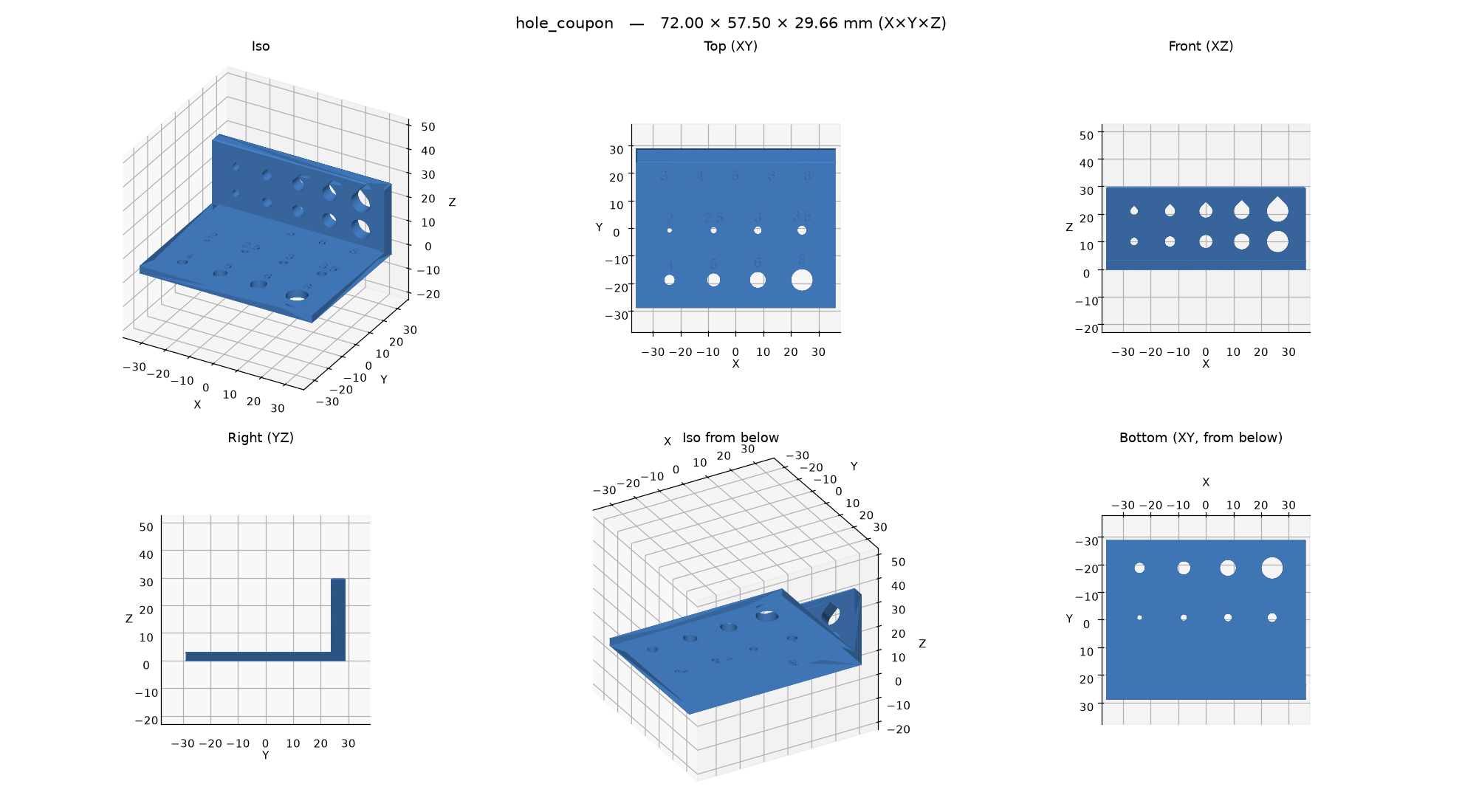
- Get the coupon:
new_part("coupon", example="hole_coupon")over MCP (or thecalibrate_hole_compprompt, which walks you through all of it), orb123d-print new coupon --from hole_coupon. - Export and print it with your usual material and settings. Its holes are cut at their nominal size on purpose: this part measures the error.
- Measure each hole with calipers (or the largest drill bit or gauge pin that passes): the vertical holes in the plate, and the teardrop (upper) row in the tab at the back. The tab's lower row is plain round holes, for comparison: their tops sag.
hole_comp = average(nominal - measured)over the vertical holes, on the diameter, andhole_comp_hthe same over the teardrops. If the error grows with size, average over the sizes you actually use.-
Save it in your user config:
# ~/.config/b123d-print/config.toml
[print]
hole_comp = 0.4
hole_comp_h = 0.5
or, with a printer profile set, for that printer + material:
b123d-print printer calibrate hole_comp 0.4
b123d-print printer calibrate hole_comp_h 0.5
Part scripts read it with HOLE_COMP: float = hole_comp(__file__) (and
HOLE_COMP_H: float = hole_comp(__file__, horizontal=True) for horizontal holes) and add it
when cutting holes; hole fields stay at the size you want printed. Don't also turn on the
slicer's hole compensation. Never hard-code a value from somewhere
else (see The part script).